
Oh what a time to be a video conferencing service.
Zoom has become so prevalent during these difficult times, you’d think it was Apple or Charmin. It’s really incredible to be this connected during a global health crisis. Think about how isolating it must have been during the Spanish flu pandemic of 1918. Zoom and products like it are a miracle right now.
Blessings counting aside, this is the beginning of a new world order. If you weren’t video conferencing before, you are now, whether for work, school, or social time. This paradigm shift has been coming, COVID-19 just fast-tracked it. For work or looking for work, standing out in video conferences is an incredible advantage. So how do you achieve a crystal-clear video conferencing setup?
First off, that $200 high-end webcam you have is hot garbage.
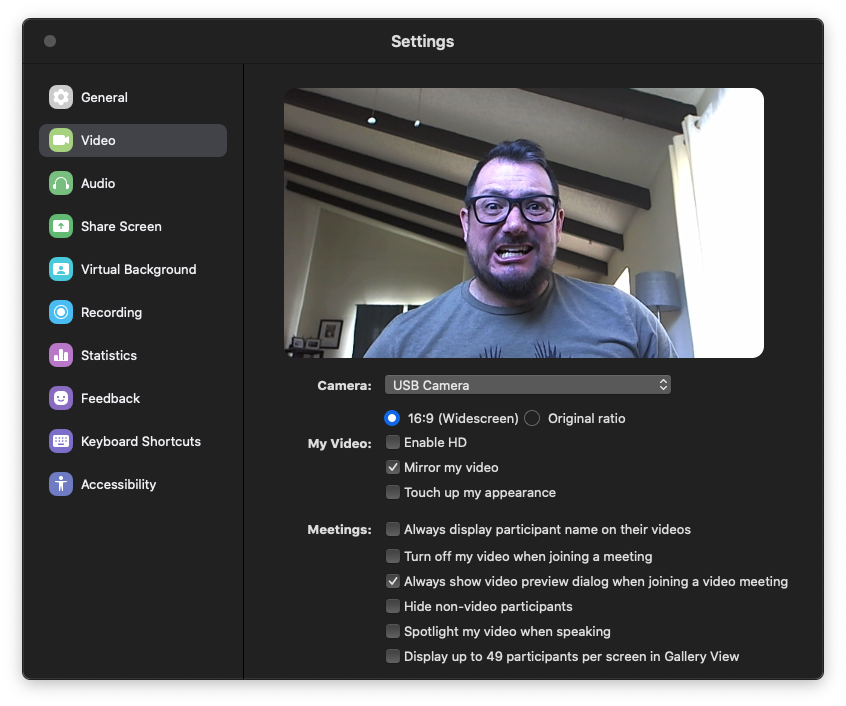
I was a professional photographer for a few years. I know image quality, lighting, and camera specs. High-end webcams are pretty good … for webcams. Hey, I get it — considering form factor and use case, they are totally fine. I own one too. However, we’re talking about gaining a significant advantage over most other folks. “Totally fine” is a different conversation.
After I became a full-time remote employee and video was made mandatory on all calls, I decided to demonstrate how seriously I took my work. I shopped high-end webcams, but after being vastly underwhelmed by image quality, I decided to use my professional camera as a webcam. After flaming out on a complicated software workaround that had become outdated by OS updates, I shifted my focus on hardware.
It turns out professional video game streamers have similar needs. Personality is a huge part of being a successful streamer — no different than you choosing your favorite late-night talk show host or podcaster. Part of Twitch culture is including the gamer’s mug in the corner of gameplay. It just won’t do to insert a busted image of your moneymaker when attempting to market yourself. Streamers know this, so the de facto leader in video game capturing devices created a solution. Brace yourself —things are about to get technical …
Hardware
I am in no way affiliated with or sponsored by Elgato, Canon, Sony, Apple, or ANYBODY for that matter (but I am open to taking their money!). These solutions just work. Period.
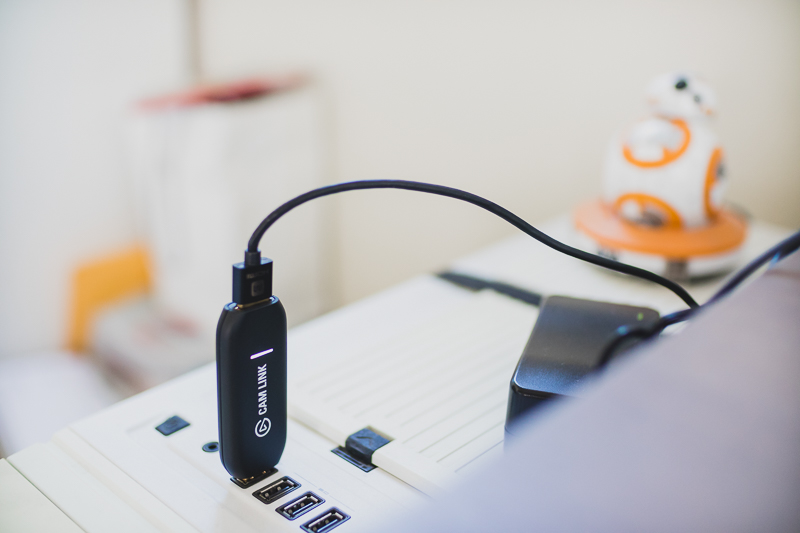
The Cam Link 4K looks like a USB storage drive. It plugs into your computer via USB 3.0 (fast, old-school USB) and then you connect your camera to it via HDMI. That’s pretty much it. It’s the lesser known silver-bullet in the equation. Beyond that, you just need decent camera equipment and all the proper cables.
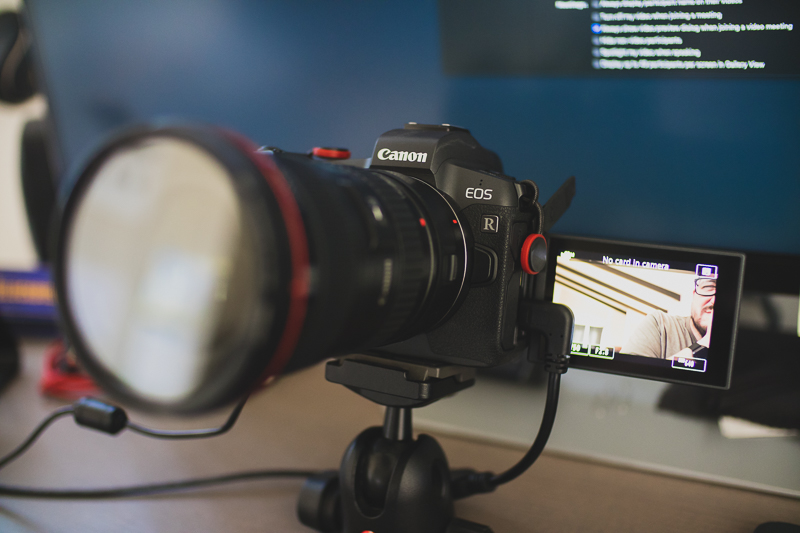
I own a Canon EOS R mirrorless camera. That’s a professional grade camera body, but as long as you have decent glass — I usually pair it with a Canon 16-35mm f/2.8L II — you could use a much more casual setup. I’m a Canon guy, so I’d suggest the Canon M50 or Canon M6 Mark II as budget options. The key here is choosing a camera with removable lenses and excellent autofocus. I own older cameras that would suffice, such as the Canon 5D Mark III, but autofocus on these just ain’t it. Canon’s Dual Pixel Autofocus (DPAF) technology is *chef’s kiss!* Sony has comparable models and capabilities (such as the A7iii or A6600, similar lenses, and fantastic autofocus); I just don’t have the hands-on experience to personally vouch.
Connect your camera rig via HDMI to the Cam Link 4K, which plugs into your computer, and voila! — now you’re cooking with grease. Simply head into Zoom, Teams, Facetime, or most any video conference platform, and you should see the difference immediately. You may need to head into your app’s settings to select the Cam Link 4K.
Having the right hardware is big, but some basic non-tech caveats also apply.
Lighting, composition, background
For the best possible image, you need good lighting. Good lighting is why your iPhone photos look gorgeous on the hiking trail and like total ass when you snap a pic of your friend blowing out birthday candles in the dark.
For professional applications, which usually take place during daylight, I simply open the blinds on the window behind my computer monitor. I also get a hit of fill light from a window to the side of me. If you have a strong light source behind you, your camera is likely to grossly underexpose your image, rendering you a silhouette. If you take none of my advice, “Webcamming 101” is to make sure you’re front lit.
If you conduct your business in the dark, you’re going to want to find a source of soft light. Professionally speaking, that’s probably mounting a soft box of some sort. This is how Youtube vloggers achieve such buttery soft images from their dark home studios. The budget option is a little LED light panel. I don’t have one myself, but I hear good things about Aputure products.
Let’s talk composition for a moment. The tropical Hawaiian background you’re using is cute and all, but all those artificial backgrounds are janky. Straight up. Like when you lean your head on your hand, but the AI is blending your hand into the background so your head is magically floating above your wrist. Avoid that.
To do background right, it’s ideal to find a space with depth. You know how news anchors have a cityscape behind them. That’s actually something of an optical illusion. That background is usually 15 to 20 feet behind them. Basically, the closer you are to your background — like sitting right in front of a wall — the flatter your image. Now you’re a busy, flat Picasso painting. I love Picasso, but now ain’t the time. Depth helps you stand out: you’re in focus and the background is blurred. This is a biggie, and traditional webcams aren’t great at creating depth.
Also, clean up your background. I’m fortunate enough to have a fair amount of space behind my work area. Pro tip: I set up my camera beneath my monitor (propped on a tripod ball head on the table) to create a low angle. The low angle makes it so you can see part of my ceiling and lamp instead of the tragic mess on the floor below. When you prop your camera high, angled down, you have to concern yourself with everything at eye-level and below behind you.
Sound quality: Just say NO to speakerphones
I have an eight-year-old who started using Zoom for distance learning. It’s amazing to watch 20-some kids step all over each other with their sound. They don’t understand that anytime you make a noise, you get the floor in the main video pane. That’s second-graders for you. Professionals have to be better than that. In group chats of more than three participants, I aggressively toggle the mute button on and off so I’m only heard when it’s my turn to speak. You’d be surprised how much background noise can leak into a video conference. I live near an airport, but people think I live on the runway.
Also, stop using an open-mic/speakerphone type setup. Just, don’t. I beg you.
I’ve interviewed hundreds of people over the years. Nothing hurts my soul more than an interviewee who takes my call over speakerphone. The reverb/echo is untenable. The way speakerphones don’t usually allow two people to talk at the same time the way a traditional phone call does is a failure of technology. When someone rants on an irrelevant tangent for a good five minutes WITHOUT BEING ABLE TO BE INTERRUPTED, I die inside. Aside from losing the basic tenants of a two-way conversation, it’s just plain hard to understand someone on a speakerphone. Don’t put others through it.
The answer: wear headphones with a mic. I know you get ear fatigue from wearing headphones too long. I know it can be intrusive to have people chatting in your ear. I’m sorry for all of that. But just do it.
I use Beats Studio3 Wireless Headphones. They are noise cancelling, so I become oblivious to all those planes flying overhead, the landscapers mowing away, and the neighbor’s chickens clucking (unfortunately, that’s not a joke).
My headphones are wireless. The less wires the better. They have a built-in microphone. I just slide them on and go. And unless another participant is using a damn speakerphone, it sounds like we’re in the same room. Beautiful.
Apple Airpods also suffice. I’ve noticed a lot of news anchors and talk show hosts filming from home with a pair of Airpods in. If it’s good enough for them, it’s good enough for us.
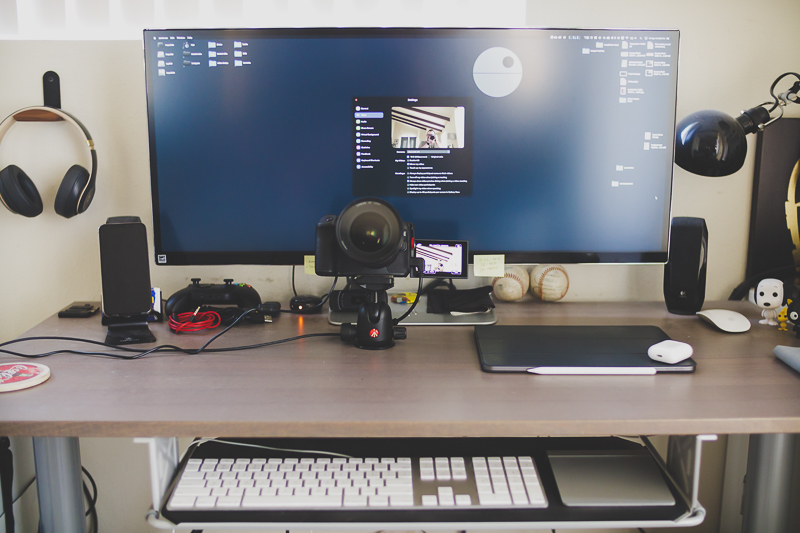
So that’s about it. Starting this setup from scratch is expensive, no doubt. But if you already own a decent camera that you capture home movies with, you’re only a few steps away from having a killer Zoom setup. If and when you need to stand out at work or from dozens of other job applicants, a pristine video conference setup may be a big differentiator. And even if you don’t go big with video equipment, front-lighting your setup, staging your workspace, and dialing in your audio are simple things you can do to improve your Zoom game.

Leave a Reply